
Hey there, fellow developers, students, and tech enthusiasts! If you’re anything like me, you’re always on the lookout for tools that can make your life easier, your code cleaner, and your projects flow with a bit more ease. Well, buckle up, because today we’re diving deep into Cursor, the AI-powered code editor that’s changing the game.
Forget everything you thought you knew about code editors. Cursor isn’t just a place to type out lines of code; it’s a brilliant co-pilot that understands your project, anticipates your needs, and helps you build better, faster, and with a whole lot less head-scratching.
So, What Exactly is Cursor?

Cursor is an intelligent integrated development environment (IDE) at its heart. It builds on the beloved foundation of Visual Studio Code. It injects this foundation with a powerful dose of artificial intelligence. Imagine it as VS Code with enhanced capabilities. AI is deeply integrated into every aspect of your coding workflow, not just an afterthought.
It’s developed by Anysphere Inc. and has been gaining serious traction for its ability to go beyond mere autocomplete. Cursor uses large language models (LLMs) to genuinely understand your code, your project’s architecture, and even your unique coding style. This means it can:
- Generate code: Describe what you need in plain English. Cursor can write entire functions, components, or even entire project structures for you.
- Smart rewrites and refactoring: Highlight a section of code and tell Cursor to improve its readability. You can also ask it to optimize the code’s performance or change its logic. It handles complex multi-line edits with surprising accuracy.
- Codebase-aware chat: This is a game-changer. Instead of copying snippets into an external AI chatbot, you can chat with Cursor directly within your editor. It understands the context of your entire codebase. It answers questions about how different parts connect. It identifies where an API client is defined. It explains how a specific authentication flow works.
- Inline error fixing and debugging: Cursor can identify errors and even stack traces in your terminal, then suggest context-aware fixes directly in the relevant files. Talk about a time-saver!
- Contextual understanding: Using “magic” like the
@symbol, you can explicitly tell Cursor what files, folders, code snippets, or even web documentation to consider when generating or modifying code. This ensures its suggestions are highly relevant and accurate.
Cursor for Students: Your Ultimate Study Buddy
Learning to code can feel like climbing a mountain, but Cursor can be your trusty guide.
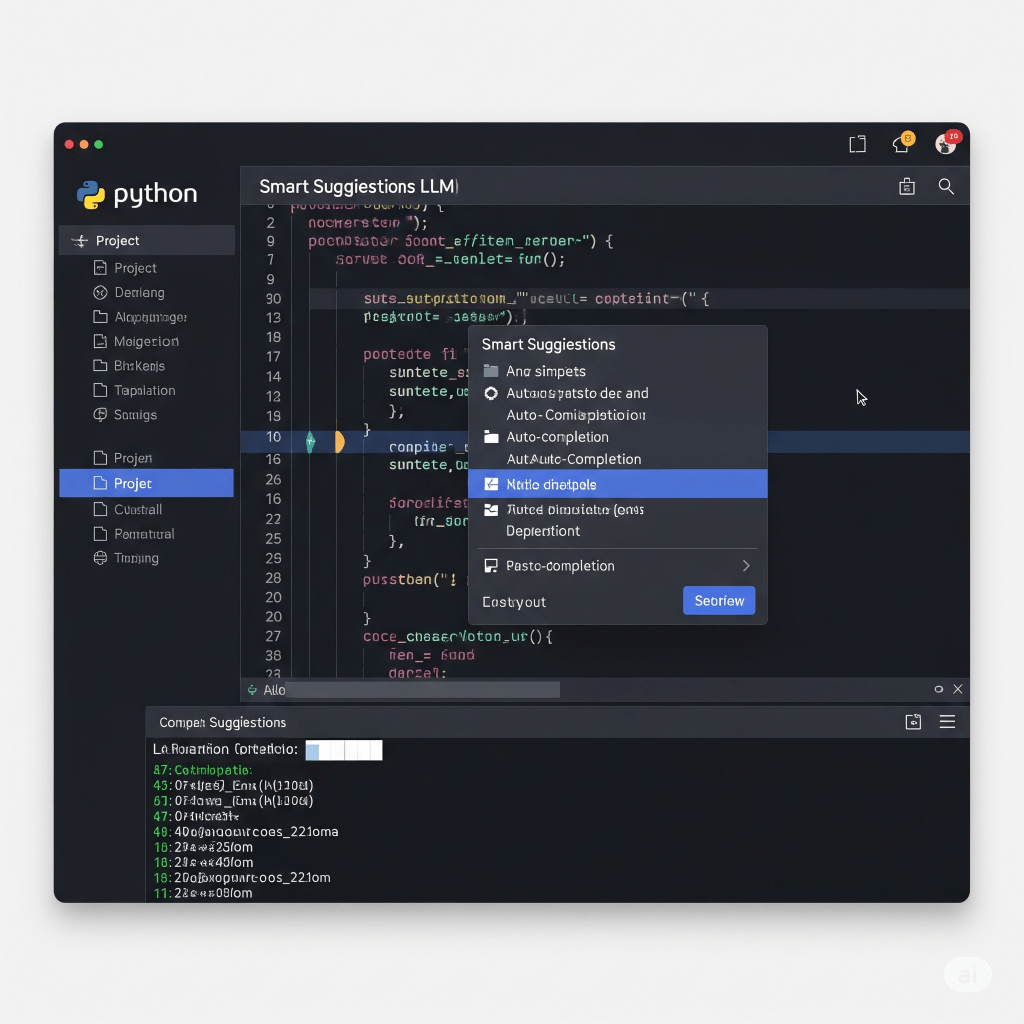
- Accelerated learning: Struggling with a concept? Ask Cursor to explain a piece of code in plain language. It’s like having a patient tutor always at your side.
- Build portfolio projects faster: Want to create a web app or a simple game for your portfolio? Describe your idea to Cursor, and it can scaffold the basic structure, generate initial code, and even help you iterate on features. This allows you to focus on the logic and design, rather than getting bogged down in syntax.
- Debugging made easy: Those frustrating bugs that keep you up all night? Cursor can analyze error messages and suggest fixes, helping you understand why something isn’t working and how to resolve it.
- Code generation for assignments: While it’s crucial to understand the fundamentals, Cursor can help generate boilerplate code or translate concepts from class notes into working code. This frees you up to focus on the core problem-solving aspects of your assignments.
- Hackathon hero: In a time-crunched hackathon? Cursor can help you prototype ideas rapidly, generate functions on the fly, and even suggest different approaches to complex problems, giving you an edge.
Cursor for Professionals: Supercharge Your Productivity

For seasoned developers, Cursor isn’t about replacing your skills; it’s about amplifying them.
- Rapid prototyping and MVP development: Startup teams can build minimum viable products (MVPs) at lightning speed. Describe features, and Cursor can help generate the underlying code, allowing for rapid iteration and deployment.
- Tackling legacy code: Ever stared at a massive, undocumented codebase and wished for a guide? Cursor can index your entire project. It answers questions about how different modules work. This makes it far easier to understand, maintain, and refactor existing systems.
- Streamlined refactoring: Whether it’s improving code readability, optimizing for performance, or adapting to new requirements. Cursor’s smart rewrite capabilities can transform large sections of code with a simple prompt.
- Automated testing: Ask Cursor to generate comprehensive unit tests for your functions or components. This ensures higher code quality. It also results in fewer bugs making it to production.
- Context-aware development: Juggling multiple files and complex dependencies? Cursor’s ability to understand your entire project context means more accurate suggestions and less time spent manually searching for information.
- Enhanced collaboration: It’s primarily a solo tool. However, its clear, explainable AI interactions can improve how you understand and discuss code within your team.
The Power of “Vibe Coding”
You might have heard the term “vibe coding” floating around, especially with AI tools. Cursor truly embodies this. It’s about getting into a flow state where the technical friction melts away. You don’t need to get stuck on syntax. You can avoid boilerplate or searching for how to implement a specific pattern. Instead, you can articulate your intention. Cursor helps manifest it into code. It feels less like rigid programming. It feels more like a fluid conversation with a highly intelligent assistant. This makes the entire development process more intuitive. Dare I say, it also makes it more enjoyable.
Cursor vs. VS Code (with Copilot): What’s the Difference?
While VS Code with GitHub Copilot is a powerful combination, Cursor takes an “AI-first” approach. Think of it this way:
- VS Code + Copilot: VS Code is a fantastic, highly customizable editor, and Copilot is an excellent AI extension that provides inline suggestions and chat. It’s a great add-on to an existing workflow.
- Cursor: Cursor is a dedicated AI-native IDE. Its AI capabilities are deeply woven into the editor’s core, offering more profound contextual understanding of your entire project, multi-model support, and a workflow specifically designed around AI interaction (like the Composer for multi-file changes). It feels like the AI is part of the editor, rather than an external helper.
For those who are already deeply embedded in the VS Code ecosystem, Cursor offers a seamless transition, allowing you to import your existing settings, themes, and extensions.
The Bottom Line
Whether you’re a student embarking on your coding journey or a seasoned professional looking to boost your efficiency, Cursor is a tool worth exploring. It’s not about replacing human developers, but about augmenting our abilities, freeing us from tedious tasks, and allowing us to focus on the more creative and complex challenges of software development.
In a world where AI is rapidly transforming every industry, leveraging tools like Cursor isn’t just an advantage – it’s becoming a necessity. So why not give it a try and experience the future of coding for yourself? Your projects (and your sanity) will thank you!





 ShivaAiblog.com
Leave a reply to Meta’s Superintelligence Mission:Mark Zuckerberg Plans to Build the World’s Smartest AI – ShivaAiblog.com Cancel reply